
Top 10 Best Flutter Weather App Templates to Elevate Your Development Workflow
Looking to build a high-performance, visually appealing weather app for both Android and iOS without starting from scratch? Flutter has become the go-to framework for cross-platform mobile development, and the demand for ready-made, feature-rich templates is higher than ever. On CodeCanyon, developers can find a wide array of professionally designed Flutter weather app templates that offer seamless integration, modern UI/UX, and robust backend support. In this article, we’ll explore the top 10 best Flutter weather app templates available on CodeCanyon, each offering unique features like real-time data integration, AI-powered forecasts, animated weather visuals, and more. Whether you’re building a standalone weather app or integrating weather functionality into a larger project — such as a real estate app with local climate insights — these templates can save you weeks of development time.
Why Choose a Flutter Weather App Template?
Flutter has revolutionized mobile app development by offering a single codebase for both Android and iOS, backed by Google’s powerful framework. When it comes to weather apps, the complexity often lies not just in the UI, but in data integration, location services, weather animations, and real-time updates. This is where pre-built Flutter templates shine. They come with built-in support for APIs like OpenWeatherMap, AccuWeather, or WeatherAPI, and often include Firebase for user authentication and data storage. Most importantly, they offer pixel-perfect designs that follow Material Design and Cupertino guidelines, ensuring your app feels native on both platforms.
Using a template also accelerates your time to market. Instead of spending months on boilerplate code, you can focus on customization and branding. Many of these templates also support dark mode, multiple languages, and responsive layouts — essential features for modern apps. Whether you’re a solo developer or part of a team, leveraging a high-quality Flutter weather app template can dramatically reduce development costs and improve app stability.
What to Look for in a Quality Weather App Template
- Real-time Weather Data Integration: The app should support reliable weather APIs with current conditions, forecasts, and alerts.
- Modern UI/UX Design: Clean, intuitive interfaces with smooth animations and transitions enhance user engagement.
- Cross-Platform Compatibility: Ensure the template compiles and runs flawlessly on both Android and iOS.
- Customizability: Look for well-documented code and modular architecture for easy branding and feature additions.
- Backend Support: Firebase or backend integration allows for user accounts, favorites, and push notifications.
Detailed Review of the Top 10 Flutter Weather App Templates
Flutter Weather App for Android & IOS
This full-featured template offers a clean, modern interface with real-time weather updates powered by OpenWeatherMap. It includes current weather, 7-day forecasts, wind speed, humidity, and sunrise/sunset times. The app supports location-based weather detection and manual city search. With a responsive design and smooth animations, it’s perfect for developers looking for a solid foundation. The code is well-structured and easy to customize, making it ideal for both beginners and professionals.

ForecastIQ Weather AI-enhanced Flutter App
Standing out with AI-powered forecasting, this template goes beyond basic weather data. It uses machine learning models to predict weather patterns with higher accuracy, especially for localized areas. Features include hyperlocal forecasts, severe weather alerts, and historical data trends. The UI is sleek with dynamic backgrounds that change based on weather conditions. It’s an excellent choice for developers aiming to build a smart, data-driven weather app that feels futuristic and reliable.

Flutter Weather Stream App
This template focuses on real-time weather streaming with reactive UI updates using Flutter’s StreamBuilder. It displays live temperature changes, wind speed fluctuations, and pressure trends with animated charts. The app supports multiple locations and favorites, making it ideal for users who monitor weather across different regions. The minimalist design emphasizes data clarity, and the code is optimized for performance, even on lower-end devices.
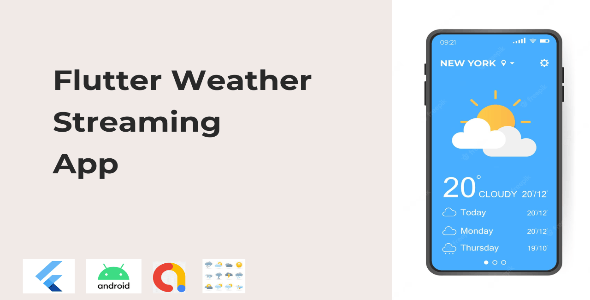
Weather App Flutter – Online Live weather app
A comprehensive solution with live weather updates, this template includes detailed forecasts, weather icons, and a clean tab-based navigation. It supports geolocation, city search, and offline caching for improved user experience. The design follows Material Design principles with subtle animations and a dark mode toggle. It’s a solid choice for developers who want a balance between aesthetics and functionality without overcomplicating the codebase.
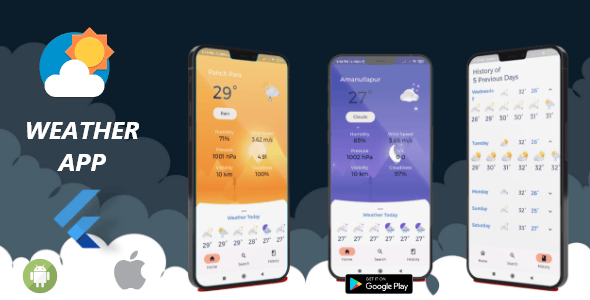
Weathery – Weather Forecast & Radar Map Flutter App
One of the most feature-rich templates, Weathery includes not only forecasts but also interactive radar maps powered by Google Maps or Mapbox. Users can view precipitation, temperature layers, and storm movements in real time. The app supports multiple cities, push notifications for severe weather, and a beautiful gradient-based UI. This is ideal for developers building a full-featured weather service with advanced visualization tools.

Mighty News – Flutter News App with WordPress backend
While primarily a news app, Mighty News includes integrated weather widgets that display local conditions based on user location. This makes it a great option for developers building content-driven apps where weather is a supplementary feature. The WordPress backend allows for easy content management, and the weather module can be customized or expanded. It’s a smart choice for hybrid apps, especially those targeting local audiences with weather-influenced content — think fitness apps that suggest outdoor workouts based on weather.

Today’s Weather App
A minimalist yet powerful app focusing on delivering today’s weather with clarity. It displays temperature, condition, wind, and humidity in a single, elegant screen. The design emphasizes readability and speed, making it perfect for users who want quick access to current conditions. The code is lightweight and well-commented, ideal for developers who prefer simplicity and performance over complex features.

OZ Weather – Online Live weather app
OZ Weather offers a vibrant UI with animated weather icons and real-time updates. It supports multiple cities, favorites, and detailed forecasts including hourly and 10-day predictions. The app uses OpenWeatherMap API and includes features like UV index, air quality, and visibility. Its modern design and smooth transitions make it a pleasure to use, and the code is modular for easy customization.

NewExtra Flutter App For Android & IOS
Though not exclusively a weather app, NewExtra includes a weather module alongside news, sports, and lifestyle content. It’s built with Firebase and supports push notifications, user authentication, and dynamic content loading. The weather section pulls real-time data and displays it in a clean card-based layout. This template is perfect for developers building multi-feature apps where weather is one of many integrated services.

Baap app – 9 Apps within 1 app – IOS and android both with Firebase backend
A multipurpose template that includes a weather app among its nine integrated modules. Baap App offers a weather feature with real-time data, location support, and a clean interface. The entire app is powered by Firebase, enabling user accounts, analytics, and cloud functions. This is a cost-effective solution for developers who want to bundle multiple apps — including weather — into a single, feature-rich platform.

Final Thoughts: Choosing the Right Flutter Weather App Template
Selecting the right Flutter weather app template depends on your project’s scope, target audience, and technical requirements. Whether you need a simple, lightweight app like Today’s Weather App or a complex, AI-driven solution like ForecastIQ, CodeCanyon offers a diverse range of options. Templates like Weathery and OZ Weather excel in visual design and data richness, while multipurpose apps like Baap App and NewExtra provide added value through bundled features. The key is to choose a template with clean, well-documented code, active support, and scalability. By leveraging these professionally built solutions, you can focus on innovation rather than infrastructure. For more inspiration, explore our guides on real estate app templates and fitness app development to see how weather integration can enhance diverse app categories.